
AIEngine is a next-generation interactive/programmable Python/Ruby/Java/Lua and Go AI-driven Network Intrusion Detection System engine with capabilities of learning without any human intervention, DNS domain classification, Spam detection, network collector, network forensics and many others.

AIEngine also helps network/security professionals to identify traffic and develop signatures for use them on NIDS, Firewalls, Traffic classifiers and so on.
Functionality of AIEngine AI-driven Network Intrusion Detection System
The main functionalities of AIEngine are:
- Support for interacting/programing with the user while the engine is running.
- Support for PCRE JIT for regex matching.
- Support for regex graphs (complex detection patterns).
- Support six types of NetworkStacks (lan, mobile, lan6, virtual, oflow and mobile6).
- Support Sets and Bloom filters for IP searches.
- Supports x86_64, ARM and MIPS architecture over operating systems such as Linux, FreeBSD and MacOS.
- Support for HTTP, DNS and SSL Domains matching.
- Support for banned domains and hosts for HTTP, DNS, SMTP and SSL.
- Frequency analysis for unknown traffic and auto-regex generation.
- Generation of Yara signatures.
- Easy integration with databases (MySQL, Redis, Cassandra, Hadoop, etc…) for data correlation.
- Easy integration with other packet engines (Netfilter).
- Support memory clean caches for refresh stored memory information.
- Support for detect DDoS at network/application layer.
- Support for rejecting TCP/UDP connections.
- Support for network forensics on real time.
- Support for JA3 TLS Signatures on SSL.
- Supports protocols such as Bitcoin, CoAP, DHCPv4/DHCPv6, DNS, GPRS, GRE, HTTP, ICMPv4/ICMPv6, IMAP, IPv4/v6, Modbus, MPLS, MQTT, Netbios, NTP, OpenFlow, PPPoE, POP, Quic, RTP, SIP, SMB, SMTP, SSDP, SSH, SSL, TCP, UDP, VLAN, VXLAN.
- Integration of HTTP Server for retrieve and configure the system.
Using AIEngine AI-driven Network Intrusion Detection System
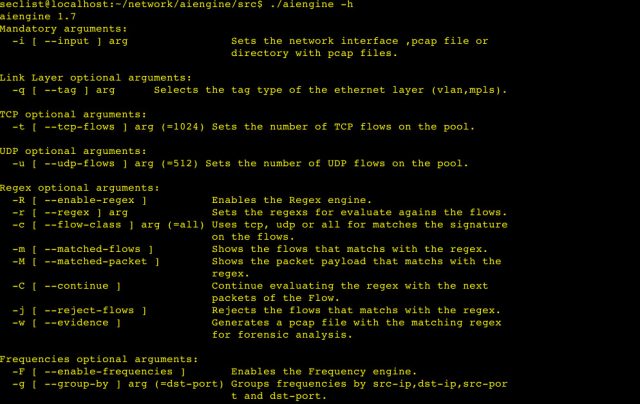
To use AIEngine(reduce version) just execute the binary aiengine or use the python/ruby/java/lua binding.
|
1
2
3
4
5
6
7
8
9
10
11
12
13
14
15
16
17
18
19
20
21
22
23
24
25
26
27
28
29
30
31
32
33
34
35
36
37
38
39
40
41
42
43
44
45
46
47
48
49
50
51
52
53
54
55
56
57
58
59
|
luis@luis–xps:~/c++/aiengine/src$ ./aiengine –h
aiengine 1.9.0
Mandatory arguments:
–I [ —input ] arg Sets the network interface ,pcap file or
directory with pcap files.
Link Layer optional arguments:
–q [ —tag ] arg Selects the tag type of the ethernet layer (vlan,mpls).
TCP optional arguments:
–t [ —tcp–flows ] arg (=32768) Sets the number of TCP flows on the pool.
UDP optional arguments:
–u [ —udp–flows ] arg (=16384) Sets the number of UDP flows on the pool.
Regex optional arguments:
–R [ —enable–signatures ] Enables the Signature engine.
–r [ —regex ] arg (=.*) Sets the regex for evaluate agains the flows.
–c [ —flow–class ] arg (=all) Uses tcp, udp or all for matches the signature
on the flows.
–m [ —matched–flows ] Shows the flows that matchs with the regex.
–M [ —matched–packet ] Shows the packet payload that matchs with
the regex.
–C [ —continue ] Continue evaluating the regex with the
next packets of the Flow.
–j [ —reject–flows ] Rejects the flows that matchs with the
regex.
–w [ —evidence ] Generates a pcap file with the matching
regex for forensic analysis.
Frequencies optional arguments:
–F [ —enable–frequencies ] Enables the Frequency engine.
–g [ —group–by ] arg (=dst–port) Groups frequencies by src–ip,dst–ip,src–por
t and dst–port.
–f [ —flow–type ] arg (=tcp) Uses tcp or udp flows.
–L [ —enable–learner ] Enables the Learner engine.
–k [ —key–learner ] arg (=80) Sets the key for the Learner engine.
–b [ —buffer–size ] arg (=64) Sets the size of the internal buffer for
generate the regex.
–Q [ —byte–quality ] arg (=80) Sets the minimum quality for the bytes of
the generated regex.
–y [ —enable–yara ] Generates a yara signature.
Optional arguments:
–n [ —stack ] arg (=lan) Sets the network stack (lan,mobile,lan6,virtual,
oflow).
–d [ —dumpflows ] Dump the flows to stdout.
–s [ —statistics ] arg (=0) Show statistics of the network stack (5 levels).
–T [ —timeout ] arg (=180) Sets the flows timeout.
–P [ —protocol ] arg Show statistics of a specific protocol of the
network stack.
–a [ —port ] arg (=0) Sets the HTTP listenting port.
–e [ —release ] Release the caches.
–l [ —release–cache ] arg Release a specific cache.
–p [ —pstatistics ] Show statistics of the process.
–o [ —summary ] Show protocol summmary statistics
(bytes,packets,% bytes,cache miss,memory).
–h [ —help ] Show help.
–v [ —version ] Show version string.
|
You can download AIEngine here:
Or read more here.